PicoAide Harness

Turn individual AI habits
into organisational capability

Employees work in the client, and the skills and agents they build can be shared with everyone. Usage, budget and audit stay on your own server. The deliverable is a single container image: server, embedded PostgreSQL, reverse proxy and the installers for all supported platforms are inside it, so employee machines never need the public internet.

Deliverable
One container image
Server + database + clients
For employees
No public internet
One domain for install, sign-in and updates
For the organisation
Reusable know-how
Shared skills, agents and apps
For management
A measurable water line
Usage, balance and audit on one screen
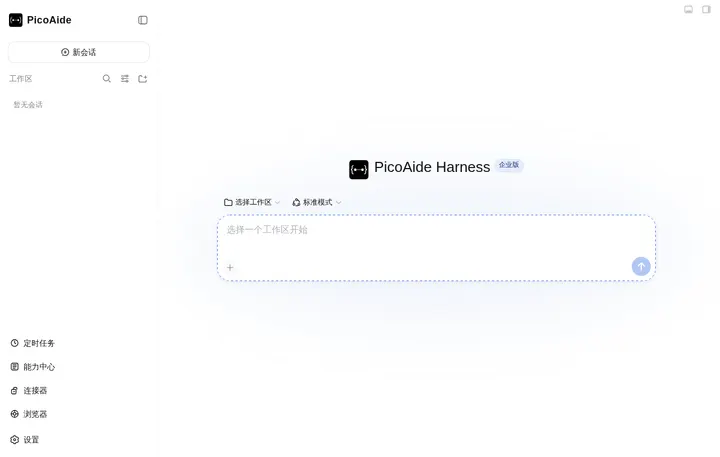
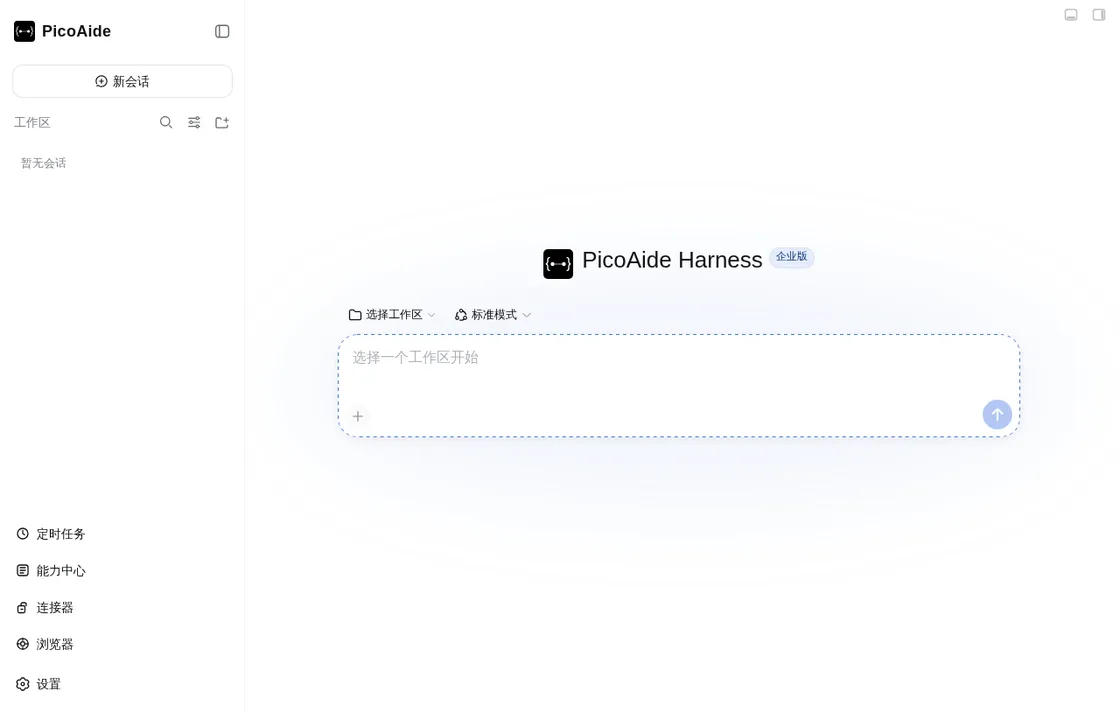
PicoAide Harness desktop client
Adoption

The enterprise AI water line: from individual habits to organisational capability

Most companies stall in the same place — individuals do well, the organisation captures nothing. This platform exists to close the last three steps: capture know-how, reuse it, and make the level visible.

L1

Individual experimenting

People reach for outside tools, data leaves the company, and spend is a black box.

What the platform provides
  • Clients are served by your own server; employees only reach your domain
  • Upstream model keys live on the server — no key ever reaches a laptop
L2

Department pilots

Every team wires up its own stack and nothing can be reused next door.

What the platform provides
  • One gateway and one model catalogue: a new model is a config change, not a code change
  • Capability Hub grants to users or departments — no more rebuilding the same thing
L3

Platform-wide reuse

Skills, agents and apps become searchable, approvable and reusable assets.

What the platform provides
  • Capability Hub: employee upload → admin approval → everyone reuses it, with clear ownership
  • Five-track memory: project know-how is kept per directory and git branch
  • App centre: small tools built by one team open directly for everyone else
L4

Measurable AI-native

Management can see the water line: who uses AI, where, at what cost, and what got reused.

What the platform provides
  • Usage is attributed by department, member and model, on a reconcilable ledger
  • A balance gate and a hash-chained audit log: spend is bounded, behaviour is traceable

How the Capability Hub and memory work · What administrators can measure · Apps built by employees

Architecture

One platform, three cooperating layers

The client handles interaction, the local service runs the agent, and the server owns accounts, models and audit. Each layer upgrades on its own; there is exactly one interface between them.

Desktop

Desktop client

A native window with tray, terminal and automatic updates. Chat, Capability Hub, connectors, scheduled jobs, the built-in browser and voice input all live in one place.

  • Ships with its own Node.js / pnpm / Python runtime — nothing to install on employee machines
  • Closing the window only hides it to the tray; diagnostics export in one click
  • Connector credentials, browser sessions and scheduled jobs are isolated per account
Local host

Local agent engine

Starts, stops and recovers the local Harness service automatically. Sessions, files and workspaces stay on the machine; model traffic goes through your gateway.

  • The upstream DeepSeek Harness runs unmodified at a pinned version
  • Desktop shell and business plugins compose through the official Cordis mechanism
  • Sandbox is chosen per session: read-only / workspace-write / full access
Server

Enterprise server and admin console

One intranet server carries accounts, the model gateway, metering, approvals and audit. The admin console is embedded in the same image.

  • Upstream model keys are AES-GCM encrypted and never leave the server — employees hold no API key
  • Client installers and updates are served by this same server
  • Employees never see the console: it lives at /admin/, gated by RBAC permissions
Employee machine No public-internet access required Desktop client Chat Capability Hub Connectors Scheduled jobs Built-in browser Voice input loopback · 127.0.0.1 Local Harness service Pinned upstream + plugin composition · sessions and files stay on this machine HTTPS + Bearer token Installers and update manifest (SHA-256 verified) Enterprise server · one container image Caddy Go server PostgreSQL Auth Model gateway Usage & billing Approvals Audit log Client delivery Upstream model service OpenAI compatible Anthropic compatible API keys never leave the server /v1/*
Data flow and trust boundary: employee machines only talk to your intranet server, and upstream keys never leave it. (scroll sideways on a narrow screen for the full diagram)
Capabilities

What employees actually use every day

Available out of the box, with no third-party extensions to install — and every one of them configured and audited centrally.

Chat and workspaces

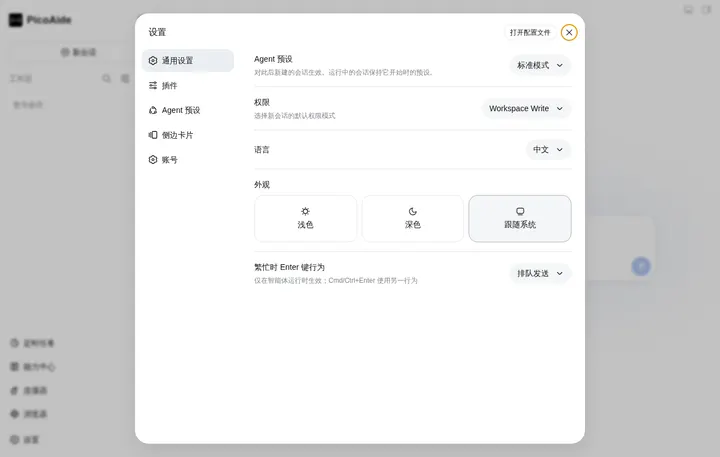
Every session is bound to a project directory; file writes, shell commands and browser actions are confirmed per call through the permission gate.

Capability Hub

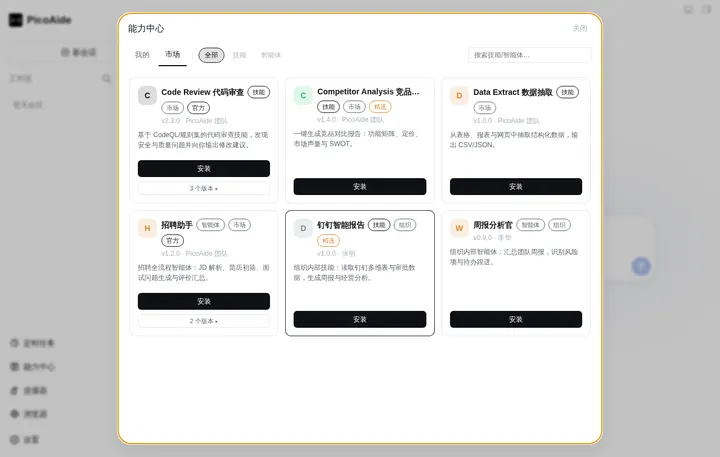
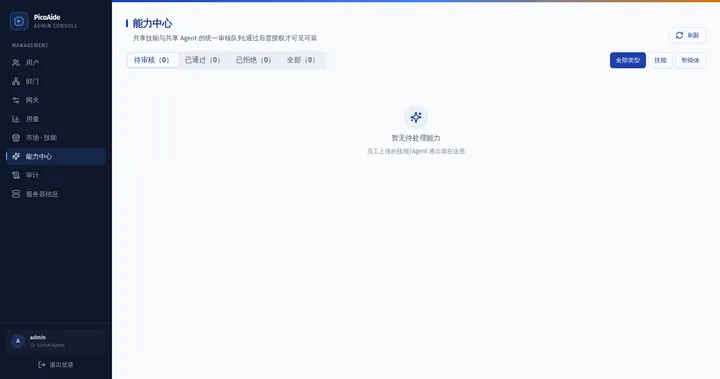
Skills and agents, from your own library or the shared marketplace — install, update, uninstall and review upload status in one place.

Connectors

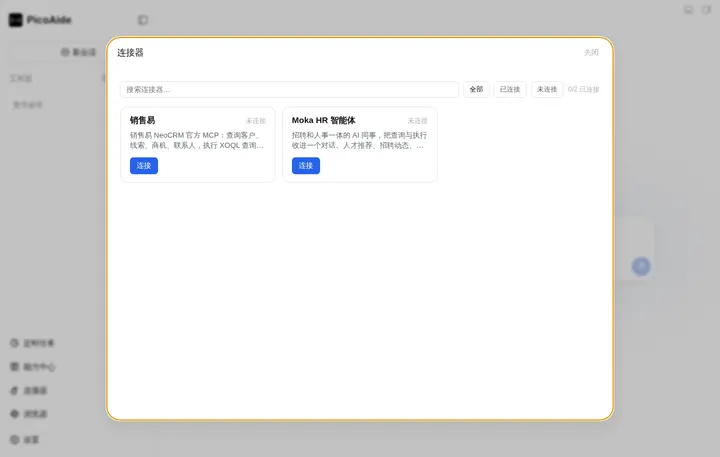
Reach internal systems with one standard MCP configuration. OAuth authorisation and token renewal happen automatically; credentials stay encrypted locally.

Automation tasks

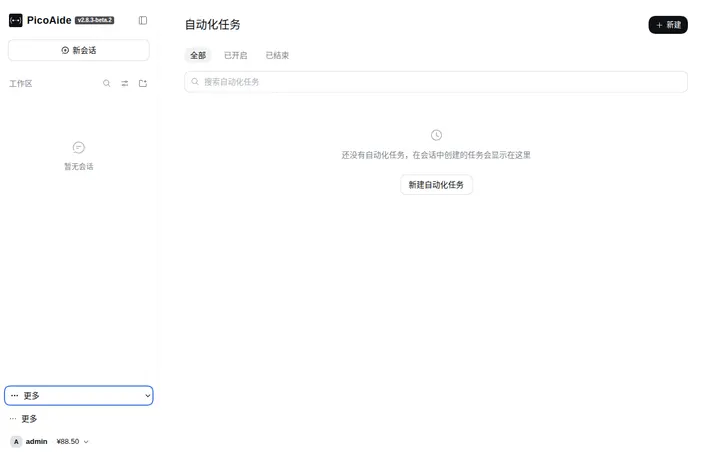
Upstream Schedule reminders (once / interval / daily / weekly / cron) delivered back to the original session; account-scoped with delivery history.

Built-in browser

The agent can drive a real browser: tabs, address bar, download control and an operation log. Control changes hands only through the “I will take over” button.

Voice input

Dictate into the composer. Recognition runs in a local subprocess — audio never leaves the machine, works offline, and the model ships with the client.

Five-track memory

User profile, global facts, project key memory, project log and daily log — scoped by directory and git branch, written only after you confirm.

App centre

Employees build their own WASM apps with AI. They open in a dedicated client window; the server needs no public hostname or certificate for them.

Desktop client guide · Plugin development · Plugin ecosystem

Admin console

Accounts, models, budget and audit on one intranet server

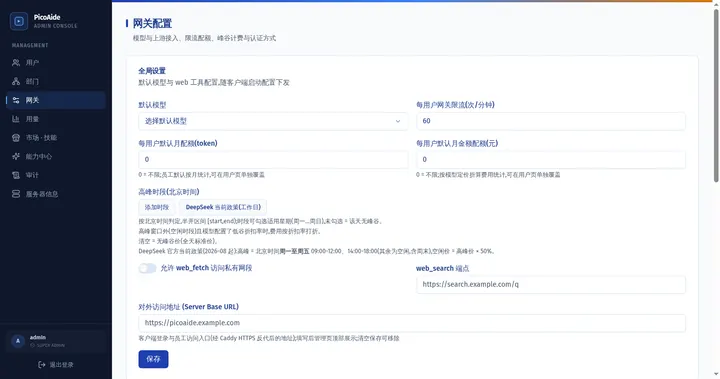
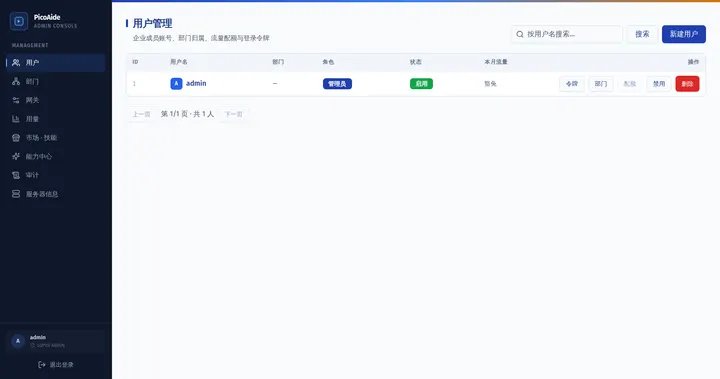
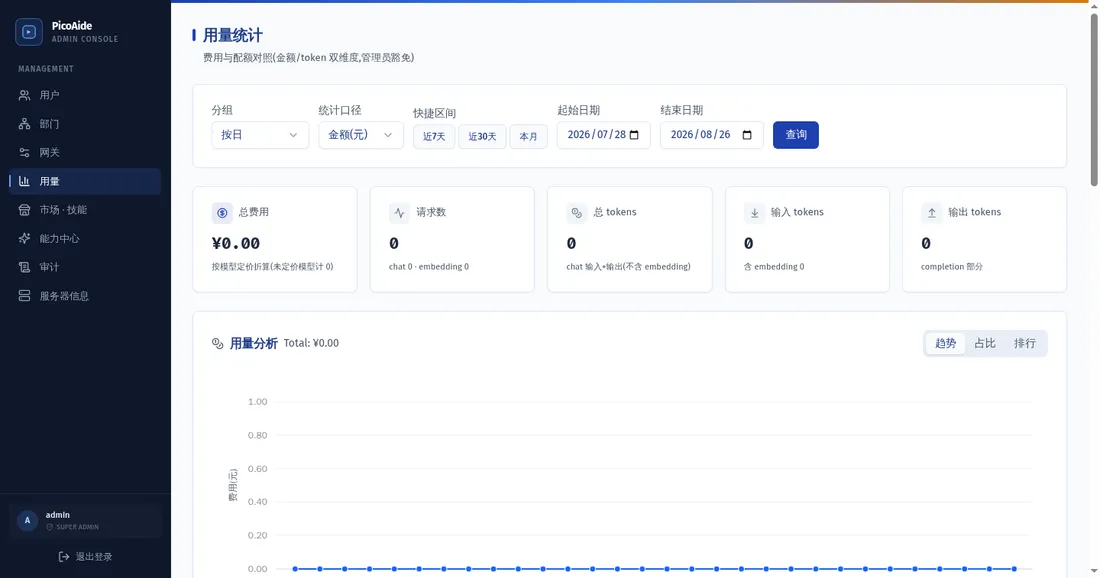
The console is embedded in the server image at /admin/ and its sidebar follows the RBAC permissions of the signed-in administrator: super admins see everything, auditors get read-only views, employees never reach it. The water line is measured, not surveyed — the usage centre reports real calls and cost by department, member and model.

  • Accounts and authentication: Local accounts, LDAP or OIDC, plus MFA for administrators. Changing a password, lowering a role or disabling an account revokes every token at once.
  • Model gateway: Upstream providers and the model catalogue are configured centrally, including input modalities. Keys stay encrypted; clients only see a model list.
  • Usage and billing: Per-user, per-model metering of input, output and cache hits, with peak-hour pricing, a balance gate and a ledger you can reconcile entry by entry.
  • Approvals and grants: Shared skills and agents go through one approval queue; official and featured content is badged. Grants are issued to users or departments.
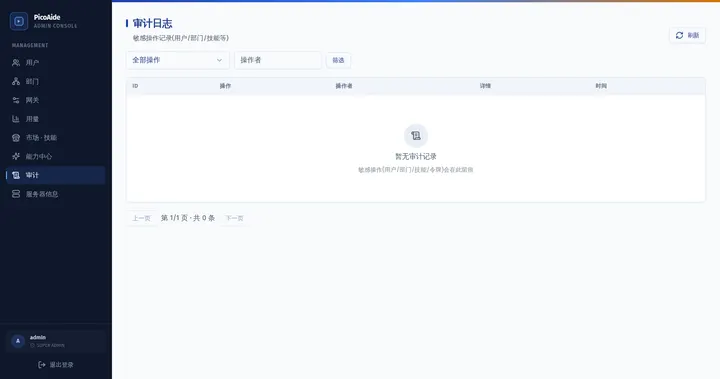
  • Audit log: Account, department, gateway, capability and approval operations are recorded end to end, protected by a hash chain, with a configurable retention policy.
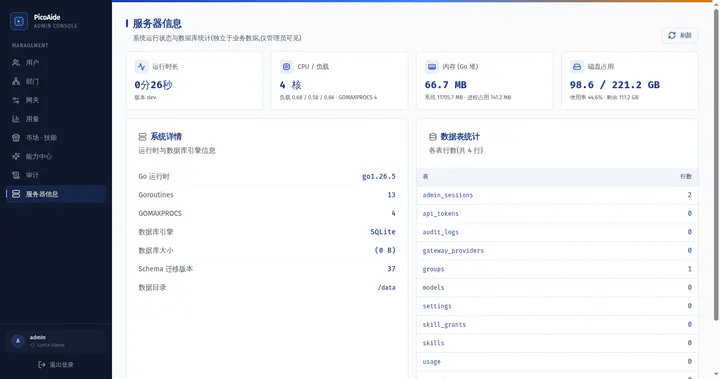
  • Server information: Version, update notices, database and migration state, model concurrency — one screen. Back up first, roll back by pointing at the previous image.
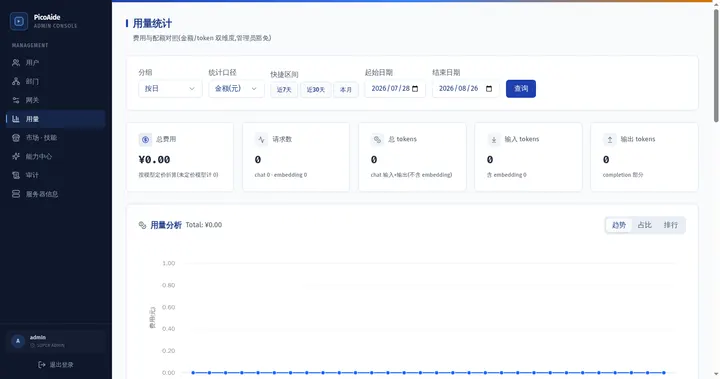
Usage centre in the admin console
Usage centre: cost and token detail by department, member and model
Deployment

Private deployment: one image, one guide

No install scripts, no registry mirror and no Git checkout on the deployment machine. The image carries everything needed for a first deployment, an upgrade and a rollback.

1

Fetch the image

Download the image archive and SHA256SUMS from your channel, verify them and docker load. No registry is involved, so an isolated network can import the archive by hand.

2

Export the stack files

One command writes the compose file, the three certificate variants and the client installers into your deployment directory; then fill in .env.

3

Start and self-check

docker compose up -d brings up Caddy, the server and the embedded PostgreSQL. The health probe and the client manifest are the acceptance criteria.

4

Deliver to everyone

Employees download the client from your portal and sign in. Clients follow the server, so upgrading the server upgrades every client.

Run on the deployment host · see container deployment
# 1) Verify and import the image (<version> comes from latest.json -> server.version, without the leading v)
curl -fL -O https://release.picoaide.com/official/releases/<version>/picoaide-server-<version>-amd64.zip
unzip -p picoaide-server-<version>-amd64.zip image.tar | docker load

# 2) Export the stack files (the image carries compose / Caddyfile / client installers)
docker run --rm -v /opt/picoaide:/out -e PICOAI_UNPACK_STACK=/out \
  picoaide-harness-server:<version>

# 3) Fill in .env, start, and confirm the health probe
cd /opt/picoaide && docker compose up -d
curl -k https://<your-domain>/healthz

Data stays in bind mounts

picoaide-data/ (including master.key) and pg-data/ live in the deployment directory. Upgrades replace the image, never the data; a rollback is a pointer change.

Three certificate modes

Self-signed for a pure intranet, automatic issuance for a public domain, or your own enterprise certificate — switch TLS_MODE in .env.

Four data-safety rules

Never a -v teardown, never the latest tag, always back up and verify the backup is non-empty before upgrading, and never overwrite an existing deployment's .env.

Deployment overview · Upgrade, backup and rollback · Client delivery and updates · Air-gapped deployment · Operations and troubleshooting

Delivery

The client is part of the server — and so is the brand

One build per channel, and the brand is never washed away by an upgrade.

Clients ship with the server

Windows, macOS and Linux installers are packed into the server image and served by your own server (/api/client/v2/updates/manifest and /updates/client/*), so a version mismatch is structurally impossible.

No public internet for employees

Installing, signing in and updating all happen against your domain. Resumable downloads and SHA-256 verification are built in, so a LAN can distribute a few hundred megabytes reliably.

Channel white-labelling

Name, tagline, welcome copy, mark and accent colour come from the channel content shipped with the image — one configuration drives the sign-in page, the client, the console and the portal. Channels never upgrade into each other.

1 Server upgraded Point .env at the new image tag and restart 2 Manifest published Version, absolute HTTPS URL and SHA-256 per asset 3 Client verifies Resumable download, then verified before install 4 Everyone in sync Sessions, sign-in and settings carry over Each client only talks to the server it signed in to — no public update endpoint, no per-channel update site.
One server upgrade brings every client along in the same round; the channel identity is decided by the server, structurally. (scroll sideways on a narrow screen for the full diagram)
Security

Security and data sovereignty

Every statement below maps to a concrete implementation and an automated check — not an adjective.

Encrypted credentials

Upstream keys are stored with AES-GCM (enc:v1: prefix, master key in its own file); credentials are written atomically with 0600/0700 permissions, guarding against symlinks and path escape.

Tokens are stored hashed

Employee API tokens expire after 90 days and only their hash is kept; password, role and status changes revoke them in the same transaction. Admin sessions are capped at 12 hours with idle expiry and CSRF protection.

Sandbox and permission tiers

Sessions choose read-only, workspace-write or full access. Writes are confined to the workspace and a private temp directory (Landlock on Linux, ACLs on Windows); anything outside is refused.

Egress boundary

The client ignores system proxies by default and its only update source is the server it signed in to. With no server configured it performs no outbound check at all, so an isolated network works offline.

Deny by default

Unauthorised marketplace and shared content returns 404 rather than revealing existence; grant changes are audited; admin actions pass both RBAC and the audit trail.

Data sovereignty

Data, keys and the ledger live on your own machines in bind-mounted directories, shipped with the image. No per-seat licence fee, and nothing handed to a third party.

Architecture and security design · Admin console · FAQ

Screenshots

Interface preview

Real product screenshots, no visual retouching.

Releases

How releases work

Every release is curated: who must upgrade, and what happens if they do not.

Wiki

Explore the documentation

The Wiki ships in English and Simplified Chinese; every page has a language switcher.

FAQ

Frequently asked questions

How does this relate to DeepSeek Harness?

The upstream project provides the core agent, plugin system and web UI. This project adds the desktop shell, the local service lifecycle and the enterprise server, built on a pinned upstream revision that is never patched. The desktop shell itself is a regular DSH plugin.

Can it be deployed privately?

Yes — that is the primary form. The deliverable is a single container image (server, embedded PostgreSQL, Caddy and the installers for all supported platforms). Three certificate modes are available and all data lives in bind-mounted directories. You can also join an existing reverse proxy, or run the single binary against an external PostgreSQL.

Do employee machines need internet access?

No. Clients download and update from your own server; employee machines only talk to your domain. A fully isolated network can import the image archive offline.

How are clients updated?

By upgrading the server. Client installers ship inside the server image, and each client periodically asks the server it signed in to for a new version, verifying the SHA-256 from the manifest before installing. A client can never drift ahead of its server.

Where do models and keys live?

The model catalogue and upstream API keys are configured in the admin console. Keys are encrypted on the server; clients receive a model list and a session token only, so no upstream key ever reaches an employee machine.

How are connectors and skills distributed?

Through the two standard forms: enterprise capabilities ship as SKILL.md and are distributed by the Capability Hub with approval and grants, while MCP capabilities use the connector framework with a single standard configuration. Both are auditable, approvable and revocable.

Is it open source?

Yes, under the MIT licence, free of charge. The upstream project runs unmodified at a pinned version, and upgrades only follow upstream releases.

Which platforms are supported?

Windows x64 (NSIS installer), macOS on Apple silicon (DMG, signed and notarised for stable releases) and Linux x64 (AppImage). Linux deb packages are not part of the enterprise delivery surface.

Put AI in front of the whole team, from one intranet server

Pull one image and follow one guide for deployment, upgrade and rollback. Employee machines stay off the public internet.